Computer support has changed. Not long ago, many people waited until a device fully broke before asking for help. Today, technology service is more connected, more proactive, and much more practical. A slow laptop may involve hardware, software, security, storage, updates, or network issues. A business technology problem may involve remote access, backups, cybersecurity, phone systems, cloud tools, or employee support. Modern computer service is no longer just “fix the machine.” It is “keep the whole technology setup working.”
For homes and businesses, that shift matters. People rely on laptops, desktops, networks, printers, cloud accounts, data, and communication systems every day. When something fails, productivity slows fast. When support is planned well, technology becomes easier to use, easier to protect, and easier to repair before a small issue turns into a full digital circus.
Remote Support Is Making Help Faster
One major innovation in technology service is remote support. If a computer turns on and connects to the internet, many problems can be reviewed without an immediate in-person visit. Remote support may help with viruses, printer issues, pop-ups, malware or spyware, error messages, email issues, software settings, and basic troubleshooting.
This makes support more convenient for home users and more efficient for businesses. Instead of disconnecting a desktop, packing up a laptop, or waiting for a technician to arrive, users may be able to receive help while sitting at the same device. For small businesses, remote support can reduce downtime when employees need quick help with everyday problems.
Remote support is not a replacement for every repair. A cracked screen, damaged charging port, failed drive, or computer that will not power on still needs hands-on attention. However, for many software and configuration issues, remote help can turn a stressful problem into a quicker next step.
Diagnosis Is Replacing Guesswork
Modern computer service is built around better diagnosis. A slow computer is not always old. It might have too many startup programs, failing storage, limited memory, malware, overheating, outdated software, or a network bottleneck. Guessing can lead customers to replace devices too early or waste time on fixes that do not address the real issue.
Professional diagnosis helps identify what is actually happening. That can lead to repair, cleanup, upgrade, malware removal, backup review, or replacement guidance. The goal is not just to make the computer work today. It is to understand why it stopped working well in the first place.
For home users, this can save frustration. For businesses, it can reduce downtime and avoid repeated problems. Nobody wants to “fix” the same computer every Thursday, like it is part of the weekly meeting schedule.
For customers comparing troubleshooting, upgrades, and PC Repair, professional diagnosis can help determine whether a device needs repair, replacement, cleanup, or broader IT support.
Cybersecurity Is Now Part of Everyday Computer Help
Cybersecurity used to sound like something only large companies worried about. Today, every internet-connected device needs protection. Home users face phishing emails, unsafe downloads, malicious pop-ups, weak passwords, and compromised accounts. Businesses face those same risks, plus employee access concerns, customer data protection, ransomware, and network security.
Layered cybersecurity is the modern approach. That may include updated software, strong passwords, multi-factor authentication, antivirus or endpoint protection, secure Wi-Fi, backup planning, and user awareness. No single tool blocks every threat, but several protections working together can reduce risk.
This is why repair and cybersecurity often overlap. A computer with pop-ups may need malware removal. A compromised email account may require password changes and security review. A ransomware concern may lead to backup planning. Modern support treats security as part of the whole technology picture, not a separate topic filed under “deal with this later.”
Backups Are Becoming a Core Service
Data backup has become one of the most important parts of modern computer care. Computers fail. Laptops get damaged. Files are deleted. Malware can corrupt or lock information. Business records, family photos, school files, accounting data, client documents, and personal records should not exist in only one place.
A strong backup plan should be automatic, secure, and tested. The “tested” part matters because a backup that cannot restore files is not much of a backup. It is a very confident folder with no emergency skills.
Businesses may need backup solutions for shared files, workstations, servers, and cloud systems. Home users may need protection for photos, documents, and personal files. Modern support helps customers understand what is being backed up, how often, where it is stored, and what recovery may look like if something goes wrong.

Networks and Devices Are Being Treated as One System
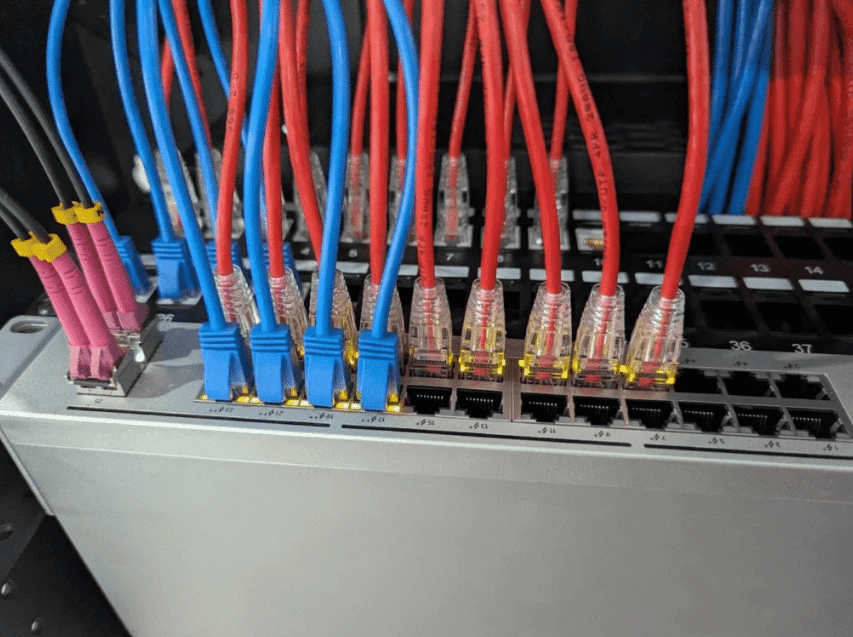
Another important technology shift is the way support providers look at the whole system. A laptop problem may actually be a Wi-Fi problem. A phone system issue may be related to network quality. A printer problem may involve drivers, permissions, router settings, or software updates. The devices are connected, so support should be connected too.
Network solutions are especially important for businesses that rely on cloud software, VOIP phones, remote access, shared files, and secure communication. A weak network can make good computers feel broken. For homes, better networking can improve remote work, streaming, school access, gaming, and printer reliability.
The innovation here is perspective. Instead of treating each device like an isolated island, modern IT support looks at how everything works together. That approach can reduce recurring issues and improve daily reliability.
See also: Technology and Cognitive Automation
Repair and IT Support Are Working Together
Computer repair still matters, even in a cloud-connected world. Laptops and desktops can suffer from hardware failure, battery problems, broken screens, charging issues, damaged ports, overheating, software corruption, malware, or storage failure. Repair helps customers restore useful devices and understand whether fixing or replacing makes more sense.
At the same time, repair often leads to broader IT support. If a business laptop fails, backup and security questions matter. If a home computer is infected, cybersecurity habits matter. If several devices are slow, the network may need attention. If a device is old, upgrade planning may be more practical than repeated repairs.
For customers seeking laptop repair in Dayton, service can connect hardware troubleshooting with broader needs such as security, data backup, remote support, and performance improvement.
This combined approach benefits customers because it avoids tunnel vision. The answer is not always “replace the part” or “restart the computer.” Sometimes the better answer is repair plus prevention.
Technology Support Is Becoming More Practical and Human
The most useful innovation in computer support may be clearer communication. Customers do not need to become technicians to make good decisions. They need plain explanations, realistic options, and support that respects their time.
Modern technology service helps people understand what went wrong, what can be fixed, what should be protected, and what may need improvement. It connects repair, cybersecurity, backups, networks, remote support, and managed IT into a more complete service model.
Technology will still have strange moments. Printers will still act mysterious. Updates will still appear at inconvenient times. Laptops will still slow down right when someone has three tabs too many open. But with smarter support, those moments become easier to manage.
For homes and businesses, modern tech support is about confidence. It helps devices last longer, data stay safer, networks run better, and users make smarter technology decisions. That is the real future of computer care: not just fixing what breaks, but helping technology work better every day.